In each release of our SDK you will find hundreds of code samples, effects, whitepapers, and more to help you take advantage of the latest technology from NVIDIA. Check out our SDK Home Page to download the complete SDK, or browse through individual code samples below. You can also click on the video links for a quick preview, or the thumbnail images for a gallery of larger images.
This code is released free of charge for use in derivative works, whether academic, commercial, or personal. (Full License)
|
Coverage-Sampled Antialiasing (CSAA) Tutorial
This sample demonstrates how to enable Coverage-Sampled Antialiasing (CSAA) on GeForce 8 series GPUs in DX9. |
|
 |
 |

Whitepaper
Download
|
|
|
|
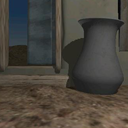
Virtual Shadow Depth Cube Textures
This code sample demonstrates a variety of techniques for increasing the performance of omnidirectional shadowmapping effects on DirectX 9 hardware, including an implementation of virtual shadow depth cube texturing as described in ShaderX3 (a technique for efficiently 'unrolling' a cube shadowmap into a hardware-accelerated depth texture, such as D24_X8 on NVIDIA GeForce FX, 6- and 7-series hardware). |
|
 |
 |
Download
|
|
|
|
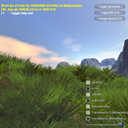
Antialiasing with Transparency
This sample demonstrates the GeForce 7 Series per-primitive super-sample and multi-sample modes for antialiasing primitives with transparent fragments. The problem with using alphatest to virtually simulate geometry is a hard edge that is produced where the test occurs. The conventional solution for dealing with this problem is to use alpha blending. Using a GeForce 7 Series GPU, you can enable super-sampling or multi-sampling per-primitive, yielding much higher image quality along the alpha tested edges. |
|
 |
 |
Whitepaper
Video
Download
|
|
|
|
SLI Best Practices
This sample demonstrates the proper way to detect SLI-configured systems, as well as how to achieve maximum performance benefit from SLI. |
|
 |
 |
Whitepaper
Download
|
|
|
|
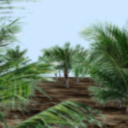
Post Processing Effects with Anti Aliasing
This example demonstrates how to combine post-processing effects with multisample
antialiasing in OpenGL. Current texture hardware is not capable of reading directly
from a multisampled buffer, so it is not possible to use render-to-texture in this case.
Instead, we render to the back buffer, and then use glCopyTexImage to copy from the
back buffer to a texture. The copy performs the necessary downsampling automatically.
This example also shows how to use the Transparency Antialiasing mode of the ARB multisample
extension to provide higher quality, order independent transparency for geometry
such as trees. This mode converts the alpha value of the pixel into a 16-level (dithered)
coverage mask, which is logically ANDed with the raster-generated coverage mask. |
|
 |
 |

Download
|
|
|
|
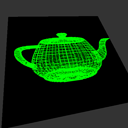
Simple Framebuffer Object
This simple code example shows how to use the framebuffer object (FBO) extension to perform rendering to texture in OpenGL. The code renders a wireframe teapot to an off-screen frame buffer object, binds this as a texture and then displays it to the window on a textured quad.The FBO extension has the advantages that it is window system independent and does not require a separate OpenGL context for each render target.
See the GL_EXT_framebuffer_object spec for more details. |
|
|
 |
Download
|
|
|
|
GPU Video Effects
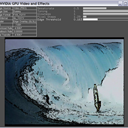
This sample uses the GPU to render post-processing effects with source images and video. It takes advantage of the nv_image_processing framework, Cg, and GLSL for to implement several video filters, including guassian blur, edge detection overlay, wobble, TV-noise, radial blur, and night vision. |
|
|
 |
User Guide
Download
|
|
|
|
HDR with 2x FP16 MRTs
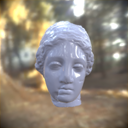
This sample shows how to exploit the floating power texturing power and shader model 3.0 of the GeForce 6 and 7 series on HDR applications. Bilinear and anisotropic fp16 texture filtering and vertex texture fetch (VTF) are used to speed up some of the different steps of the HDR rendering process such as image downsampling, blurring or luminance adaptation. Additionally, on the 6 series, by using two G16R16F render targets and MRT, you can achieve an additional speed up (20 to 30%).
(All HDR maps are courtesy of Paul Debevec www.debevec.org). |
|
|
 |
User Guide
Download
|
|
|
|
Dynamic Ambient Occlusion
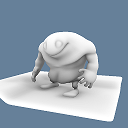
This sample demonstrates a new technique for computing diffuse light transfer and shows how it can be used to compute global illumination for animated scenes. The technique efficiently calculates ambient occlusion and indirect lighting data on the fly for each rendered frame. It does not have the limitations of precomputed radiance transfer (PRT) or precomputed ambient occlusion techniques, which are limited to rigid objects that do not move relative to one another. It works by treating polygon meshes as a set of surface elements that can emit, transmit, or reflect light and that can shadow each other. This method is efficient because it works without calculating the visibility of one element to another. Instead, it uses a much simpler and faster technique that uses shadowing to account for occluding (blocking) geometry. |
|
|
 |
Whitepaper
Video
Download
|
|
|
|
Antialiasing with Post-Processing
In this sample, an antialiased backbuffer is read as the source image for a post-processing effect which creates a green glow. The IDirect3DDevice9::StretchRect() function is used to copy the antialiased image to a render-target texture for post-processing. This technique yields better results than simply rendering the scene to an off screen render target.
|
|
|
 |
Whitepaper
Video
Download
|
|
|
|
Image Histogram
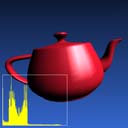
This example implements an image histogram using occlusion queries. For a histogram with n entries this method takes n passes. It renders the scene to a texture, and then for each bucket in the histogram renders a quad with the scene texture, using a fragment program that discards pixels outside the range of interest. Occlusion query is used to count how many pixels remain, and were therefore inside the range. |
|
|
 |
Download
|
|
|
|
Decimation Using Anisotropic Filtering
This sample demonstrates how anisotropic filtering can be used to significantly increase the performance of common image decimation filters. |
|
|
 |
User Guide
Whitepaper
Download
|
|
|
|
Glow
This demo presents a technique that is very similar to the glow effect developed for Buena Vista Interactive's "Tron 2.0." The glow is created by post-processing the rendered scene in a series of render-to-texture operations, where the alpha channel contains the strength of the glow sources at each pixel. The technique is compatible with full-scene anti-aliasing, which you can activate through the demo's GUI. |
|
|
 |
Whitepaper
Download
|
|
|
|
Video Filter
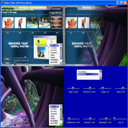
This sample demonstrates how apply shader effects onto two videos and composite them together using pixel shaders. Shaders are then used to perform YUV2RGB color conversion, color correction, and effects like sepia, blur, sharpen, luminance edge detection, fade, and radial blur. |
|
|
 |
Whitepaper
Video
Download
|
|
|
|
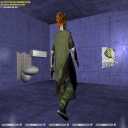
GPU Cloth
This sample demonstrates how to use Shader Model 3.0 to simulate and render cloth on the GPU. The cloth vertex positions are computed through several pixel shaders and saved into a texture. A vertex shader then reads these positions using Vertex Texture Fetch (VTF) to render the cloth. |
|
|
 |
User Guide
Whitepaper
Video
Download
|
|
|
|
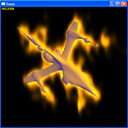
DXSAS Sample Implementation 0.8
This sample demonstrates how to implement a DirectX Semantics and Annotations (DXSAS) ScriptExecute parser in an engine. Full support for the standard annotations and semantics is provided. The user interface lets you apply multiple scene and model effects simultaneously, so the you can see hundreds of different effect combinations. All effect files were developed using FX Composer. |
|
 |
 |
User Guide
Download
|
|
|
|
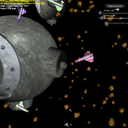
Instancing
This sample uses Microsoft's Direct3D9 Instancing Group to render thousands of meshes on the screen with only a handful of draw calls. This significantly reduces the CPU overhead of submitting many separate draw calls and is a great technique for rendering trees, rocks, grass, RTS units and other groups of similar (but necessarily identical) objects. |
|
|
 |
Whitepaper
Video
Download
|
|
|
|
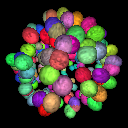
Pseudo Instancing
This sample demonstrates a technique for speeding up the rendering of instanced geometry with GLSL. |
|
|
 |
User Guide
Whitepaper
Download
|
|
|
|
High Dynamic Range Rendering
This example demonstrates how to implement simple high-dynamic range rendering in OpenGL on both GeForce FX and GeForce 6 series GPUs. It loads environment map images in the Radiance ".hdr" format and uses these to light simple 3D objects. On GeForce FX series GPUs it uses two "HILO" format cubemaps (16-bit integer). On GeForce 6 series GPUs it uses 16-bit floating point cube maps with texture filtering. The example also implements a glow post-processing effect using a separarable Gaussian blur. |
|
|
 |
Video
Download
|
|
|
|
Discrete Cosine Transform
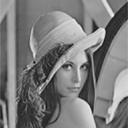
This example shows how to implement the forward and inverse discrete cosine transform (DCT) using fragment programs. The DCT operates on 8x8 pixel blocks and is used as the basis for JPEG compression. The code can perform the forward DCT followed by the inverse DCT at around 160 frames per second for a 512 x 512 monochrome image on a GeForce 6800. This could be extended into a complete hardware accelerated JPEG viewer by performing the rest of the JPEG algorithm (entropy decompression etc.) on the CPU and adding resampling and color space conversion to the GPU code. |
|
|
 |
Download
|
|
|
|
QuerySample
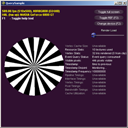
Shows how to check for availability and use of the various query types supported in DirectX9. This sample queries for and displays results for queries of type: event, occlusion, timestamp, timestamp frequency, timestamp disjoint, and if running with the debug runtime, resource and vertex stats.
|
|
|
 |
User Guide
Download
|
|
|
|
Get GPU And System Info
This sample querries Microsoft's IDXDiagContainer interface to retrieve graphics hardware and system information. Most notable is the retrieval of the amount of physical video memory on the primary graphics device. The IDXDiagContainer interface is wrapped in a convenient C++ class, and no IDirect3DDevice9 object is required to retrieve the information. |
|
 |
 |
Whitepaper
Download
|
|
|
|
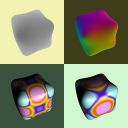
Fast Third Order Filtering
Demonstrates a fast and efficient technique to perform cubic texture filtering. This technique is described in GPU Gems 2: Programming Techniques for High-Performance Graphics and General-Purpose Computation. |
|
|
 |
User Guide
Whitepaper
Download
|
|
|
|
StereoAPI
This sample illustrates the NVIDIA Stereo API which allows developers to leverage the driver to control stereoscopic rendering. The API exposes the ability to set convergence and and stereo separation as needed in the application. |
|
|
 |
User Guide
Download
|
|
|
|
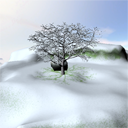
Snow Accumulation
This sample shows a technique for procedurally adding snow to a non snow scene. |
|
|
 |
Whitepaper
Download
|
|
|
|
GPU Filter for Photoshop(tm)
This code example implements a Photoshop™ filter plugin that performs its key pixel operations using GLSL shaders. Docs are included to guide developers who desire to use GLSL in Photoshop on their own. This code sample requires the use of Adobe's Photoshop CS API toolkit, which is available to registered developers directly from Adobe Systems. If you just want to use the filter without compiling the source, move the enclosed GPUFilter.8bf to your local Photoshop Plugins\Filters folder. |
|
|
 |
Whitepaper
Download
|
|
|
|
Multiple Draw Buffers
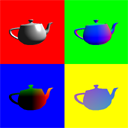
This simple example illustrates the use of the ATI_draw_buffers extension to render to multiple draw buffers simultaneously. Instead of outputing a single color value, a fragment program can now output up to 4 different color values to 4 separate buffers. This feature is supported on all GeForce 6 series GPUs. It is known as "Multiple Render Targets" in Direct3D. |
|
|
 |
Download
|
|
|
|
Simple NV_fragment_program2
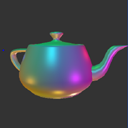
This simple example demonstrates the use of the NV_fragment_program2 extension, including looping and branching in fragment programs, and fast normalization of fp16 vectors using the "NRM" instruction. The example uses this functionality to implement multiple per-pixel lights in a single pass. NV_fragment_program2 is only available on GeForce 6 series GPUs. |
|
|
 |
Video
Download
|
|
|
|
PBO Texture Performance
Explores various ways to use OpenGL pixel buffer objects (PBOs). This code sample can also be used to see the maximum bus-transfer rates for textures to and from the GPU. |
|
|
 |
User Guide
Video
Download
|
|
|
|
HDR Deferred Shading
This sample shows high dynamic range (HDR) lighting combined with deferred shading. Deferred shading is a technique where the components of the lighting equation (surface attributes like the normal, position, albedo, etc.) are rendered into multiple screensized render targets (MRTs). Lighting is then done using geometrically simple passes over these MRT buffers, fetching the components of the lighting equation and outputting lighting results. This results in less shaded depth complexity, less geometry processing, better batching, and a cleaner rendering pipeline. The high dynamic range comes from the lighting passes being accumulated using fp16 blending into a floating point render target, after which tone mapping and a bloom effect are done using fp16 filtering to get the HDR results into the displayable 0..1 range. |
|
|
 |
User Guide
Video
Download
|
|
|
|
Simple Vertex Texture
This simple example demonstrates the use of the NV_vertex_program3 extension to perform texture look-ups in a vertex program. It uses this feature to perform simple displacement mapping. The example also shows how to implement bilinear filtering of vertex texture fetches. |
|
|
 |
Video
Download
|
|
|
|
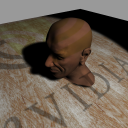
Soft Shadows
This sample shows how to use conditional branching to compute filtered soft shadows efficiently. This technique could also be applied to accelerate other filtering algorithms to increase performance significantly on GPUs that support Shader Model 3.0. |
|
|
 |
User Guide
Whitepaper
Video
Download
|
|
|
|
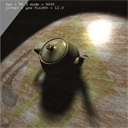
Simple Soft Shadows
This sample demonstrates how branching in fragment programs can be used to optimize soft shadow rendering in OpenGL. This technique could also be applied to accelerate other filtering algorithms to increase performance significantly on GPUs that support Shader Model 3.0. |
|
|
 |
Whitepaper
Video
Download
|
|
|
|
16-bit Floating Point Blending and Filtering
This simple example demonstrates 16-bit floating point blending and texture filtering. It repeatedly renders an OpenEXR-format image to a 16-bit floating point p-buffer with additive blending, and then uses a fragment program to display the results to the screen. The exposure multiplier value can be increased and decreased using the '+' and '-' keys. |
|
|
 |
Video
Download
|
|
|
|
FFT on the GPU
This sample presents an implementation of FFTs on the GPU, performing image reconstruction on magnetic resonance imaging (MRI) and ultrasonic imaging data. This implementation automatically balances the load between the vertex processor, the rasterizer, and the fragment processor; it also uses several other novel techniques to obtain high performance on the Quadro NV4x family of GPUs. This technique is described in GPU Gems 2: Programming Techniques for High-Performance Graphics and General-Purpose Computation. |
|
|
 |
User Guide
Whitepaper
Download
|
|
|
|
Medical Image Reconstruction
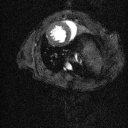
Fast Fourier Transforms (FFT) are used to reconstruct images from medical scans. This sample presents an implementation of FFTs on the GPU. This implementation automatically balances the load between the vertex processor, the rasterizer, and the fragment processor; it also uses several other novel techniques to obtain high performance on the Quadro NV4x family of GPUs. This technique is described in GPU Gems 2: Programming Techniques for High-Performance Graphics and General-Purpose Computation. |
|
|
 |
User Guide
Whitepaper
Download
|
|
|
|
Shiny Sprites Using Quads
Shows how to use quads to render billboards to perform a sparkling effect, and how to use an occlusion map to change intensity of the sparkles. |
|
|
 |
Whitepaper
Download
|
|
|
|
Cg Volume Lines
Shows how to use create a glowing line with 2 triangles. |
|
|
 |
Whitepaper
Download
|
|
|
|
Cg Explosion Effect
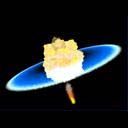
Shows how to use Perlin noise for an explosion effect. |
|
|
 |
Whitepaper
Download
|
|
|
|
NVTriStrip Test App
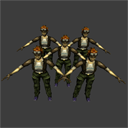
This example demonstrates the use of the NvTriStrip library. |
|
|
 |
User Guide
Download
|
|
|
|
Membrane
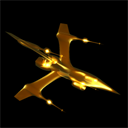
A simple Direct3D Vertex Shader 1.1 is used to render a transparent membrane effect. Thin membranes are more visible when viewed edge-on, and they appear transparent when viewed perpendicular to their surface. To give this effect, the Vertex Shader computes the dot product between the vertex normal and the direction from the vertex to the camera. The absolute value of the dot product is used as a texture coordinate to access a 1D color ramp texture. Other material effects are easy to achieve by changing the color ramp. |
|
|
 |
Whitepaper
Download
|
|
|
|
Fog Polygon Volumes
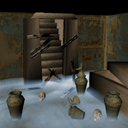
This sample renders an ordinary animated polygon object as a thick volume of translucent fog. A few passes of rendering to offscreen texture render targets are used to calculate the thickness through the fog object at each pixel on screen. This thickness is used as a texture coordinate to fetch the color for the volume object from a simple color ramp texture. |
|
|
 |
User Guide
Whitepaper
Download
|
|
|
|
Vertex Texture Fetch Water
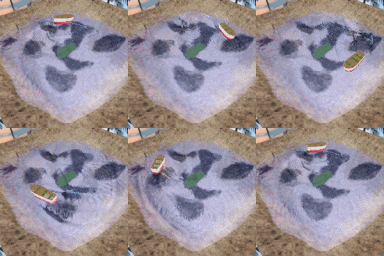
This sample demonstrates a technique for simulating and rendering water. The water is simulated via Verlet integration of the 2D wave equation using a pixel shader. The simulation result is used by a vertex shader via vertex texture fetch (VTF). The water surface is rendered by combining screen-space refraction and reflection textures. |
|
|
 |
User Guide
Whitepaper
Video
Download
|
|
|
|
Water Interaction
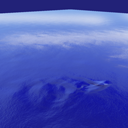
Render-to-texture is used to drive a procedural simulation of water. The water is rendered with a technique similar to environment mapped bump mapping (EMBM), but an enhancement allows the EMBM rotation matrix to vary per-vertex and fade the bumps out as distance to the viewer increases. This sample requires vertex and pixel shaders 1.1.
|
|
|
 |
Whitepaper
Download
|
|
|
|
Normalization Heuristics
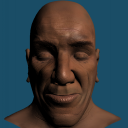
This entry and the accompanying technical report answer the question, ''When is cube-map normalization faster than normalize()?'' The report describes experiments performed with a non-trivial pixel shader, and uses the experimental results to derive useful rules of thumb regarding the performance and quality of normalization in pixel shaders. These heuristics provide tuning dials that developers can use to trade quality for performance (and vice versa) in 3D applications. To gain an intuitive understanding of these performance-quality tradeoffs, the entry application is provided to allow the same experiments described in this report. |
|
|
 |
User Guide
Whitepaper
Download
|
|
|
|
Rainbow Fogbow
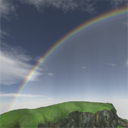
This demonstrates how to render a physically modeled rainbow in realtime. It does so by using a lookup texture with the color of scattered white light given the angle between a view vector and a light vector. To blend the rainbow nicely with the scene, the scene is rendered encoding moisture data in a texture and using this to change the intensity of the rainbow. This same technique can also be used to render halos, corona, fogbows, and any other radially symetrical optical light scattering effects. |
|
|
 |
User Guide
Whitepaper
Download
|
|
|
|
Atlas Comparison Viewer
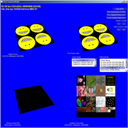
This sample compares texturing from regular textures versus textures from an atlas. Putting multiple textures in at atlas can help reduce draw calls, thus decreasing CPU load. Comparisons are made with respect to both image quality and performance. |
|
|
 |
User Guide
Whitepaper
Download
|
|
|
|
GPGPU Disease
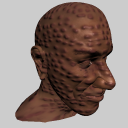
This sample creates a disturbing dynamic disease effect. It simulates a phenomenon known as chemical reaction-diffusion, by solving the governing partial differential equations in a fragment program. The result is an endless variety of changing patterns that are then used to generate bump and texture maps which are applied to a mesh with various shaders. |
|
|
 |
User Guide
Download
|
|
|
|
GPGPU Fluid
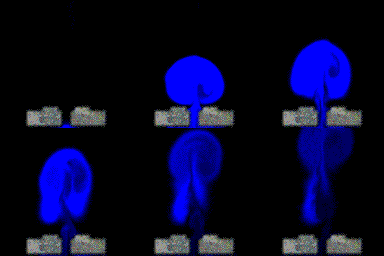
This code sample demonstrates fast, realistic fluid dynamics simulation on the GPU. The sample solves the Navier-Stokes equations for incompressible fluid flow using a technique originally presented at SIGGRAPH 1999 by Jos Stam. The sample allows the user to draw arbitrary obstacles and flow viscous or inviscid fluid around them. |
|
|
 |
User Guide
Whitepaper
Download
|
|
|
|
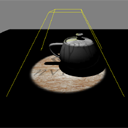
Hardware Shadow Mapping
This sample demonstrates Hardware Shadow Mapping featured on GeForce 3 and higher GPUs. Hardware shadow maps give performance, quality and ease-of-use advantages over shader-based approaches. |
|
|
 |
Download
|
|
|
|
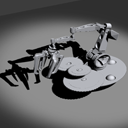
HardwareShadowMap
This effect shows generating texture coordinates for shadow mapping, along with using the shadow map in the lighting equation per pixel. |
|
|
 |
Download
|
|
|
|
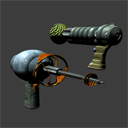
BumpyShiny Variations
This code sample shows a variety of lighting effects. It demonstrates Diffuse, Specular, Bump-Map, and Environment-Map lighting via HLSL. |
|
|
 |
User Guide
Download
|
|
|
|
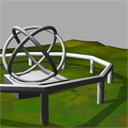
Stencil Shadow Volume Extrusion
In this sample, vertex shaders are used to extrude polygon objects into stencil shadow volumes. This avoids the CPU cost of computing shadow volumes and updating the shadow volume vertex buffers. It requires more memory to store additional face vertices and zero-area triangles for the automatic shadow volume extrusion. |
|
|
 |
Download
|
|
|
|
Motion Blur as a 2D Post-Processing Effect
This example demonstrates motion blur as a 2D post process. The algorithm was described at GDC 2003 in the "Stupid OpenGL Shader Tricks" presentation. The advantage of this method over an accumulation buffer is that you only need to render the scene once, but it does have artifacts. |
|
|
 |
Download
|
|
|
|
GrateShader
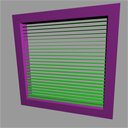
This entry contains a set of material shaders rendering window-shade like geometry. The approach is easily extensible to metal grates and similar, highly repetitive, man-made materials. |
|
|
 |
User Guide
Whitepaper
Download
|
|
|
|
GPU Particles
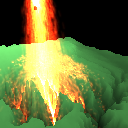
This sample implements a large-scale particle system entirely on the GPU. The positions and velocities of each particle are stored in floating point textures. Fragment programs are used to update the velocities and positions of the particles by rendering to texture each time step. The particles also collide against a sphere object, and a terrain heightfield which is stored in a texture. If available, the multiple draw buffers extension (MRT) is used to update the position and velocities in a single pass. The particles are rendered as point sprites. The position texture is converted into a vertex array for rendering the particles using the vertex buffer and pixel buffer object extensions (VBO and PBO). On the GeForce 6800, this method can render a million particles at about 20 frames per second. This example is inspired by Lutz Latta's talk from GDC 2004, "Building a Million Particle System". |
|
|
 |
Download
|
|
|
|
Anisotropic Lighting
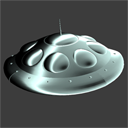
The anisotropic lighting effect shows the vertex program's halfangle vector calculation. It uses HdotN and LdotN per-vertex to look up into a 2D texture to achieve interesting lighting effects. |
|
|
 |
Whitepaper
Download
|
|
|
|
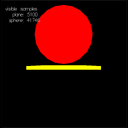
Occlusion Query
This sample illustrates occlusion query using a simple sphere and a plane. |
|
|
 |
Download
|
|
|
|
OcclusionQueryDemo
This sample shows usage of occlusion queries to cull out complex objects and save bandwidth to the card. Occlusion queries report how many pixels a set of draw calls actually wrote to. |
|
|
 |
Whitepaper
Download
|
|
|
|
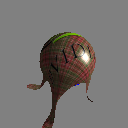
Cloth Simulation
This example demonstrates a simple cloth simulation that executes entirely on the GPU using fragment programs and floating point buffers. |
|
|
 |
Download
|
|
|
|
Detail Normalmaps
This entry illustrates the use of detailed normalmaps. |
|
|
 |
Download
|
|
|
|
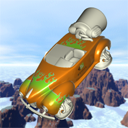
Fresnel Reflection
When light strikes a material boundary, Fresnel reflection describes how much light reflects at that boundary versus how much refracts and transmits. Fresnel reflection occurs commonly in nature and is thus important for realistic real-time graphics. This entry shows an implementation of Fresnel reflection in HLSL |
|
|
 |
Whitepaper
Download
|
|
|
|
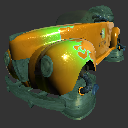
Metal Paint
This entry shows how to simulate metallic paint on objects such as cars. |
|
|
 |
Download
|
|
|
|
Perspective Shadow Maps
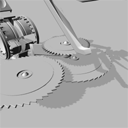
This sample demonstrates hardware-accelerated large-scale perspective shadow maps, using Simon Kozlov's improvements in GPU Gems. |
|
|
 |
User Guide
Download
|
|
|
|
BloodShader
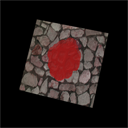
This entry presents a method by which to animate a viscous fluid across an arbitrary surface. Utilizing PS 2.0 and HLSL we are able to animate a fluid entirely on the GPU as it is affected by gravity and surface details. |
|
|
 |
Whitepaper
Download
|
|
|
|
Clip Planes
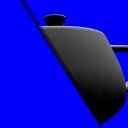
This entrys shows various ways to clip a scene. It demonstrates user clip planes as well as a technique to shear the near clip plane to implement a single custom user clip plane(useful for water planes) |
|
|
 |
Whitepaper
Download
|
|
|
|
Front/Back Register
This is a simple demo of the front/back face register in ps.3.0. The register is used in a single pass to shade front facing triangles in green and back facing triangles in red. See the shader code in FrontBackReg_PS30.psh for details. |
|
|
 |
Download
|
|
|
|
Ambient Occlusion using Hardware Shadow Maps
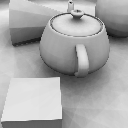
This example demonstrates hardware-accelerated "ambient occlusion" using a hemisphere of shadow-mapped lights. Each light is rendered in a separate pass, and the results are summed together using a floating point accumulation buffer. The projection matrix is randomly jittered to provide anti-aliasing. |
|
|
 |
Download
|
|
|
|
Image Processing
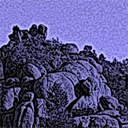
This sample app utilizes the nv_image_processing framework. The sample app executes image processing filters compeletely on the GPU. Examples filters are Gaussian blurr (naive implementation and two-pass separated). The sample got its name from the scotopic vision filter that is an advanced version of "Hollywood night". It turns daytime images into night scenes. |
|
|
 |
User Guide
Whitepaper
Download
|
|
|
|
Bump Reflection for Local Lights
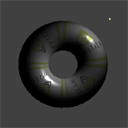
Most illustrations of this technique emphasize reflection into an environment map which is infinitely far away. This effect demonstrates the use of "reflect cube map" hardware to get very high quality specular for local light sources. |
|
|
 |
Download
|
|
|
|
Depth Peeling 2
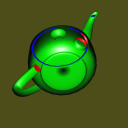
This entry is a port of the original Depth Peeling (layerz) entry, but it is much simpler because it uses fragment programs instead of complicated texture shaders. |
|
|
 |
Download
|
|
|
|
External Triangles
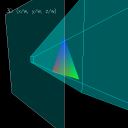
This entry illustrates the strange things that happen when you use homogeneous vertex positions. It has views that help you see how a single triangle looks in screen space, world space, and 2D homogeneous space. |
|
|
 |
Download
|
|
|
|
Raytraced Refraction
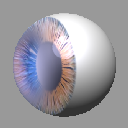
This shader presents a method for adding high-quality details to small objects using a single-bounce ray traced pass. In this example, the polygonal surface is entryd and a refraction vector is calculated. This vector is then intersected with a plane that is defined as being perpendicular to the object's X axis. The intersection point is calculated and used as texture indices for a painted Iris.
The sample permits varying the index of refraction, the depth and density of the lens. Note that the choice of geometry is arbitrary -- this entry is a sphere, but any polygonal model can be used. |
|
|
 |
Download
|
|
|
|
Filter Blit
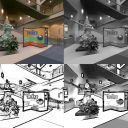
This entry demonstrates how to implement custom image processing via filters using pixel shaders to process the image. This technique can be used for a wide range of interesting filtering effects, such as blur, sharpen, and luminance edge detection. |
|
|
 |
Whitepaper
Download
|
|
|
|
Fog Comparison
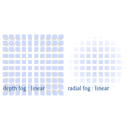
This effect demonstrates the GL_NV_fog_distance extension, and compares the use of radial-distance-based fog to standard depth-based fog. Standard fog computes fog values using just the eye-space Z distance of each vertex. This extension computes fog based on the actual Euclidian distance of the vertex from the viewpoint, resulting in more realistic fog. Use the 'f' key to cycle the fog mode from GL_LINEAR to GL_EXP and GL_EXP2. The difference between radial distance fog and depth fog is most evident in linear mode. |
|
|
 |
Download
|
|
|
|
Two-Sided Polygons
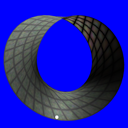
This project demonstrates how to correctly light an object where both the front and back sides of every triangle can be seen. Such objects are rendered without backface culling and are useful for foliage, banners, cloth, and hair. A simple programmable vertex shader flips the vertex normal to always face the viewer, allowing the vertices to be properly lit. |
|
|
 |
Whitepaper
Download
|
|
|
|
Infinite Shadow Volumes
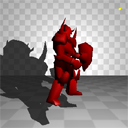
This sample implements the techniques described in the Practical and Robust Shadow Volumes paper. |
|
|
 |
Download
|
|
|
|
Oblique Frustum Clipping
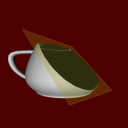
This entry illustrates Oblique Frustum Clipping. This technique is superior to using a user clip when rendering planar reflections, such as a floor or water surface. Oblique Frustum Clipping shears the near clip plane of the projection matrix to match the water or floor surface, thus making it unnecessary to use a separate clip plane. This saves much performance on cards without native user clip plane support, such as GeForce4 and lower, and some performance on cards with native user clip planes, such as GeForceFX and higher. |
|
|
 |
Download
|
|
|
|
Order Independent Transparency 2
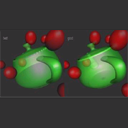
This entry is a port of the original oit (order-independent transparency) entry, but it is much simpler, because it uses fragment programs instead of complicated texture shaders. |
|
|
 |
Download
|
|
|
|
Per-Pixel Attenuation
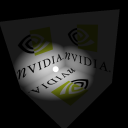
This effect demonstrates the use of simple multitexturing to compute attenuation on a per-fragment basis. |
|
|
 |
Download
|
|
|
|
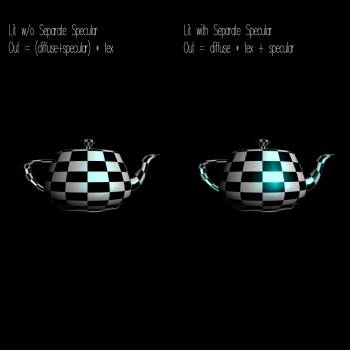
Separate Specular
This simple sample illustrates using the separate specular extension for controlling texture blending. Separate specular offers a small subset of the texture blending flexibility of the register combiners, but it is useful for simple blending operations and works on a broad range of hardware |
|
|
 |
Download
|
|
|
|
Bump Mapping
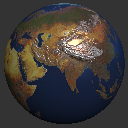
This entry demonstrates tangent space bump mapping using a GLSL vertex and fragment shader. The vertex shader transforms the light and half-angle vectors into tangent space and the fragment shader uses the normal fetched from a normal map to do per-pixel bump mapping on a sphere.
The entry also demonstrates a bump mapping technique called parallax bump mapping where the height map is used to offset the texture coordinates used to fetch from the diffuse and normal maps to produce the illusion of more depth in the bumps. |
|
|
 |
Download
|
|
|
|
Superflow
This example illustrates the use of OpenGL for flow visualization. The fluid simulation is based on Jos Stam's paper "A Simple Fluid Solver based on the FFT".
To visualize the flow, the velocity field from the simulation is converted into a 2D texture. This velocity texture is then used to offset the coordinates of another texture lookup into a 2D image. The displaced image is rendered back to the frame buffer, so that over time the image gets distorted in the direction of the fluid flow. A small amount of the original image is blended back on top of the original scene each frame so that it doesn't become too distorted. |
|
|
 |
Download
|
|
|
|
Thinfilm
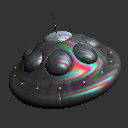
This sample shows a thin film interference effect. Specular and diffuse lighting are computed per-vertex in a GLSL vertex shader, along with a view depth parameter, which is computed using the view vector, surface normal, and the depth of the thin film on the surface of the object. The view depth is then perturbed in an ad-hoc manner per-fragment by the underlying decal texture, and is then used to lookup into a 1D texture containing the precomputed destructive interference for red / green / blue wavelengths given a particular view depth. This interference value is then used to modulate the specular lighting component of the standard lighting equation. |
|
|
 |
Download
|
|
|
|
Improved Skinning
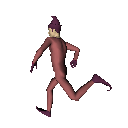
This shader takes in a set of all the transformation matrices that can affect a particular bone. Each bone also sends in a list of matrices that affects it. There is then a simple loop that for each vertex goes through each bone that affects that given vertex and transforms it. This allows just one Cg program to do the entire skinning for vertices affected by any number of bones, instead of having one program for one bone, another program for two bones, and so on. |
|
|
 |
Download
|
|
|
|
Vertex Shader Water
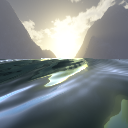
This sample gives the appearance that the viewer is surrounded by a large grid of vertices (because of the free rotation), but switching to wireframe or increasing the frustum angle makes it apparent that the vertices are a static mesh with the height, normal, and texture coordinates being calculated onthe-fly based on the direction and height of the viewer. This technique allows for very GPU-friendly water animations because the static mesh can be precomputed. The vertices are displaced using sine waves, and in this example a loop is used to sum five sine waves to achieve realistic effects. |
|
|
 |
Download
|
|
|
|
Bumpy Shiny Patch
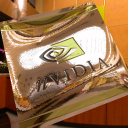
This entry illustrates the use of texture shaders. |
|
|
 |
Download
|
|
|
|
Cull Fragment Complex
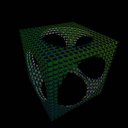
This sample illustrates using the cull fragment texture shader in conjunction with a vertex program to perform complex cull fragment operations. In this example a vertex program is used to compute custom texture coordinates representing distance from a point (or minimum distance from a set of points). These texture coordinates are then used to reject or accept a fragment during rasterization. The vertex program is also used to compute a simple diffuse lighting term. |
|
|
 |
Download
|
|
|
|
Cull Fragment Simple
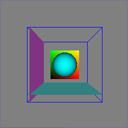
This sample illustrates using the cull fragment texture shader. Automatic object space texture coordinate generation is used to provide texture coordinates representing relative distance to clipping planes. Based upon distance to the two planes, a fragment is rejected or accepted for further processing. This is similar to an alpha test but instead of using alpha, the (s,t,r,q) texture coordinates determine if a fragment should be eliminated from further processing. The texture shader program used is very simple. |
|
|
 |
Download
|
|
|
|
Depth Of Field
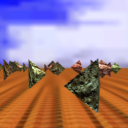
This entry shows render to texture, blurring an image by repeated filter-blitting on the GPU, and generating a depth-of-field effect. |
|
|
 |
Whitepaper
Download
|
|
|
|
HDR Paint
This example demonstrates the use of floating point textures and render-to-texture to implement interactive high dynamic range painting. It uses fragment prorams to implement several different display and brush modes. The application is resolution-independent - all rendering is performed to an offscreen floating point pbuffer, which can then be displayed at any size or position. Each brush stroke is rendered as a single textured quad. Floating point blending is implemented in the shader using two pbuffers which are alternated between each brush stroke. One is used as the source buffer and the other is the destination. The modified area is copied back from the destination to the source for the next frame. |
|
|
 |
Video
Download
|
|
|
|
Matrix Palette Skin
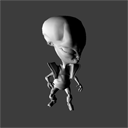
This entry shows an implementation of matrix palette skinning, using a vertex shader to animate a bone based model. |
|
|
 |
Whitepaper
Download
|
|
|
|
Offset Bump Mapping
This entry illustrates Tangent Space offset BumpMapping in action. |
|
|
 |
Download
|
|
|
|
PBuffer To Texture Rectangle
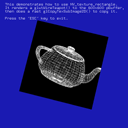
This demonstrates how to use NV_texture_rectangle. It renders to a pbuffer then does a fast glCopyTexSubImage2D() to copy it. |
|
|
 |
Download
|
|
|
|
Refractive Dispersion
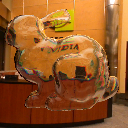
This example attempts to simulate the wavelength dependent nature of light refraction. In lens design this effect is also known as chromatic aberration. The code calculates three different refraction vectors for the red, green and blue wavelengths of light, each with slightly different indices of refraction. Each of these vectors is used to index into a cube map of the environment, and the resulting colors are modulated by red, green and blue and then summed to produce the rainbow effect. A reflection vector is also calculated, and used to index into the same cube map, making a total of four texture lookups. The reflection is modulated by a Fresnel approximation, which makes surfaces facing perpendicular to the viewer appear more reflective. |
|
|
 |
Download
|
|
|
|
Volume Intersect
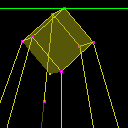
This entry illustrates one way compute conservative shadow bounds for improved stenciled shadow volume performance. It computes a 3D screen space rectangle that can be used to scissor and depth_bounds_test away updates to pixels that the light will not affect. |
|
|
 |
Download
|
|
|
|
Mandelbrot
PS.3.0 shaders and fp32 render target textures are used to compute the Mandelbrot set fractal on the GPU. This demonstrates ps.3.0 branching and the accuracy of fp32 rendering. Zoom in to the set by left-clicking, and zoom out by right-clicking. The demo can also render the Julia set for the point at the center of the current Mandelbrot view. |
|
|
 |
Whitepaper
Download
|
|
|
|
Simple Float Pbuffer
This entry illustrates a simple float Pbuffer. |
|
|
 |
Download
|
|
|
|
Simple Lighting
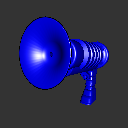
This example shows basic diffuse and specular lighting calculations, based on the Phong illumination model. The diffuse term is calculated using the usual N dot L formulation, and the specular term uses the Blinn formulation of N dot H. The entry includes shaders that calculate the lighting per-vertex or per-fragment and allow you to switch between the two. |
|
|
 |
Download
|
|
|
|
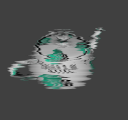
Texture Shader with Offset Texture 2D
Texture Shader with Offset Texture 2D |
|
|
 |
Download
|
|
|
|
Vertex Noise
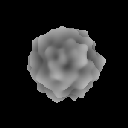
This example demonstrates an implementation of Perlin noise using vertex programs. An animated 3D noise function is used to displace the vertices of a sphere along the vertex normal. The geometry is entirely static, but is displaced on the fly by the vertex program hardware. Perlin noise is implemented for the vertex program profile using recursive lookups into a permutation table stored in constant memory. The size of this table determines the period at which the noise function repeats. 3D noise costs around 65 instructions, 2D noise around 45, 1D noise around 20. |
|
|
 |
Download
|
|
|
|
Digital Clock
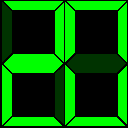
This entry shows how to rasterize arbitrary quads to a screen aligned quad using a fragment shader. The fragment shader used in this sample has only three inputs, the current time in hours, minutes, and seconds. From this data it separates each number into individual digits, then calculates a set of on/off states that map that digit to an old style LCD clock. Once this is calculated, the shader needs to actually rasterize each digit and it does this by treating each section of each digit as a set of four line equations then testing the current fragment position to see if it is inside these four line equations. This is repeated for each of the eight segments in a digit, then again for the other five digits. |
|
|
 |
Download
|
|
|
|
Vertex Lighting
Vertex lighting is not as accurate as per-pixel lighting. However, it has the advantage of being very fast. The lighting calculations are done only per vertex. This entry demonstrates a handful of implementations of vertex lighting. It implements point lights with specular, directional lights with specular, two-sided lighting, and also includes a 17 simple point diffuse-only light implementation. |
|
|
 |
Whitepaper
Download
|
|
|
|
Hardware Vertex Morphing
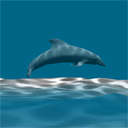
This entry shows an implentation of morphing using a vertex shader to blend between two posed meshes to obtain a in between mesh. |
|
|
 |
Download
|
|
|
|
Game Of Life
This entry uses a vertex program, a texture shader, and 3 different register combiner setups. It also uses pbuffers for off-screen rendering, and demonstrates the use of a simple alpha test trick to gain some performance. |
|
|
 |
Download
|
|
|
|
Simple P-Buffer
This entry demonstrates how to use a p-buffer for off-screen rendering. |
|
|
 |
Download
|
|
|
|
Simple Render Texture
This entry renders a the scene to a texture and then maps the texture to a rectangle. |
|
|
 |
Download
|
|
|
|
Simple Texture Rectangle
This entry displays a simple texture rectangle. |
|
|
 |
Download
|
|
|
|
NVIDIA Control Panel API
The sample exercises functionality available through the NVIDIA Control Panel (NVCpl) API, in particular, what type of AGP or PCIExpress mode the GPU is in, how much physical video memory the GPU has, what the user's control panel settings for AA, number of buffered frames as well as other current display settings, and primary display and device information. In addition, it lets developers query if the system supports SLI and allows them to choose an SLI mode for their application. For declarations of externally accessible NVIDIA Control Panel API methods, please see NvPanelApi.h. |
|
|
 |
Utility
User Guide
Download
|
|
|
|
NVDeviceID
A simple example to identify NVIDIA's product families through the use of Direct3D adapter identifier. Select the userguide link below to access an updated list of NVIDIA device ids. |
|
|
 |
User Guide
Download
|
|
|
|
Vendor/Device ID Sample Example
A simple sample to show how to retrieve vendor and device ID's for the primary display device. Select the userguide link below to access an updated list of NVIDIA device ids. |
|
|
 |
Utility
User Guide
Download
|
|
|
|
MeshMenderSimpleExample
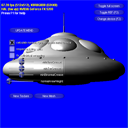
A simple example for NVMeshMender. NVMeshMender is a source code library that prepares a model for per-pixel lighting by generating a tangent basis (tangent, binormal, normal). It uses smoothing groups to properly handle normal map texture mirroring and cylindrical wrapping by splitting vertices that can not, or should not, be smoothed together. It also gives great control over what vectors can be smoothed together through user-specified crease angles. |
|
|
 |
User Guide
Download
|
|
|


